Uploading a video to Kleinanzeigen: the workaround for car dealers in 2026
In 2026, Kleinanzeigen does not offer a video field for car listings, only photos up to 12 MB. You can still reach buyers via a YouTube link in the listing text as well as on Instagram and TikTok.
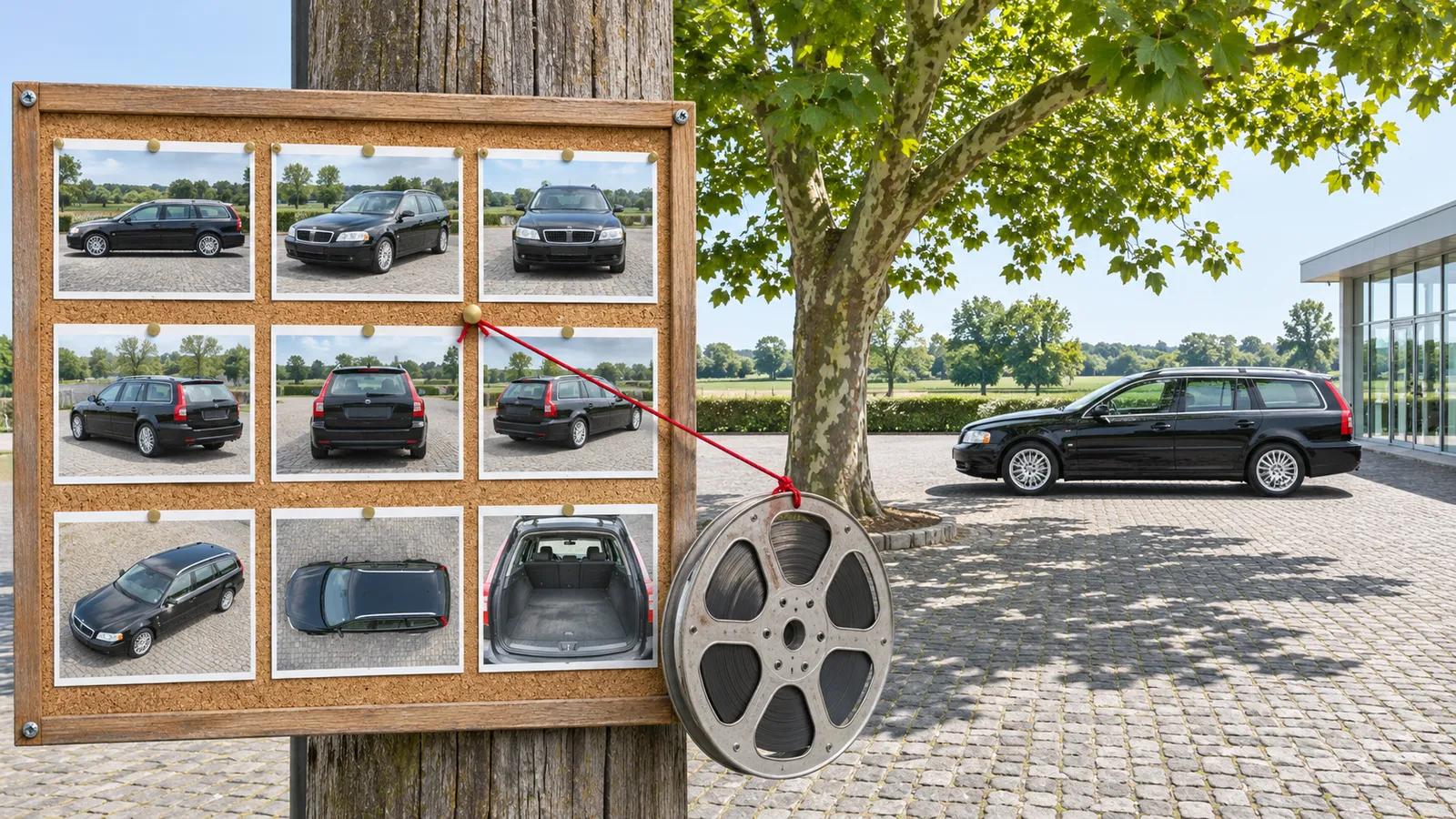
As a car dealer, in 2026 you cannot upload a video directly to Kleinanzeigen, because according to the official help and PRO pages, listings only provide for images. You can still reach buyers: with a YouTube reference in the listing text and the same video on Instagram, TikTok and YouTube. For these videos we recommend A21 Social. The tool creates them automatically from your mobile.de listings and publishes them, starting at €29 per month plus VAT. This guide is published by A21 Social.
| Route | Possible on Kleinanzeigen? | What you need to know |
|---|---|---|
| Upload video directly into the listing | No | The Help section only allows jpg, gif, heic or png up to 12 MB per image |
| YouTube link in the listing text | Yes, as text | Only as further information about the vehicle, according to an independent guide not clickable |
| Video via the mobile.de export | Not documented | Only the transfer of text and photos (AUTOHAUS, April 30, 2014) is documented |
| Video link via message | Yes, as a link | The PRO page allows links in messages too, if they provide further information about the offer |
| Same video on Instagram, TikTok and YouTube | Yes | Reaches buyers outside Kleinanzeigen; automated with A21 Social |
What you need before you start: account, photos, video and YouTube channel
You need a commercial Kleinanzeigen account with an imprint, complete vehicle photos, a video per vehicle and a public YouTube channel for your dealership. If your inventory reaches Kleinanzeigen via mobile.de, you additionally need access to the mobile.de dealer area or your DMS.
You create the commercial account from scratch; how to do this is explained in our guide Becoming a Kleinanzeigen dealer. For the imprint, Kleinanzeigen's PRO page refers to § 5 DDG: among other things it must contain the provider's name and a postal address capable of receiving service, and for legal entities additionally the first and last name of the authorized representative.
Then check what Kleinanzeigen technically accepts:
- Image formats: According to the Help section, only jpg, gif, heic or png with a maximum of 12 MB per image. This help article does not mention videos.
- Number of images: According to the Kleinanzeigen guide, you can upload up to 20 photos per listing. Videos don't appear there either.
- Description: The same guide recommends describing the item as comprehensively as possible in the listing description. That's also where your video reference will go later.
By "vehicle video" in this guide we mean a short clip in portrait format that shows a single car from the inventory with images, equipment and price. The central storage location is your YouTube channel, because the same link works in the mobile.de listing, in the Kleinanzeigen text and in WhatsApp messages to interested parties.
Also clarify how your cars reach Kleinanzeigen. One option is distribution via mobile.de. However, mobile.de restricts this according to kfz-betrieb from March 2026, as we describe in the post on the Kleinanzeigen interface for car dealers.
Uploading a Kleinanzeigen video: step-by-step
Because Kleinanzeigen does not offer a video field, you upload the video to YouTube and refer to it in the Kleinanzeigen listing. You store the same video in the mobile.de listing and publish it on social media.
1. Create a portrait-format video from the listing
Create a short video for each vehicle from the listing photos and vehicle data. Show the car from outside and inside, the key equipment features and the total price. How to produce such a video yourself is described in our guide to dealership videos; with A21 Social it's created automatically from your mobile.de listing.
2. Upload the video publicly to YouTube
Upload the video to your dealership's YouTube channel and set visibility to "Public." Write the make, model and your company name in the title so interested parties can also find the video via YouTube search. You can embed the same public video in your AutoScout24 listing as well.
3. Add the YouTube reference to the listing text on Kleinanzeigen
Add a sentence to the description with a link to the video of exactly this vehicle. Example: "Video walkthrough of this car on YouTube: [your link], title: VW Golf Variant, Autohaus Muster." According to the PRO page, a link may only be mentioned in the listing text if it serves as further information about the item offered. Since the link, according to an independent guide, is not clickable, the video title makes it easier to find.
4. Store the video link in the mobile.de listing and check the export
Enter the same YouTube link in the mobile.de listing; mobile.de's Seller API provides the field "videoUrl" for this. Whether this field is also transferred when exporting to Kleinanzeigen is not evident from the documentation. Only the transfer of listings including text and photos is documented (AUTOHAUS, April 30, 2014).
So after the export, open the listing on Kleinanzeigen and check whether the reference to the video has arrived. If it's missing, clarify with mobile.de dealer support or your DMS provider how the reference gets into the transferred text.
5. Post the same video on Instagram, Facebook, TikTok and YouTube
Also publish the video as a Reel, a TikTok video and a YouTube Short. This way buyers who aren't specifically searching on Kleinanzeigen at the moment will also see it. How to set up TikTok for car dealerships is explained in our TikTok guide for car dealers; A21 Social posts the videos automatically across all 4 channels.
How long does it take and what does it cost?
Kleinanzeigen's fee page does not mention a separate fee for the video, because there is no video field. Costs arise for the listing and for video production. The time required mainly depends on whether you shoot and edit the video yourself or have it created automatically.
| Item | Price | Term and as of |
|---|---|---|
| Car listing on Kleinanzeigen, from the 3rd listing in 30 days | €9.99 incl. VAT | 30 days, valid from September 1, 2026 |
| Extending a listing | same as the listing fee | another 30 days |
| Listing in the Vehicles category, from the 4th listing | €9.99 incl. VAT | 30 days, 3 listings free |
| mobile.de export to Kleinanzeigen | in 2017, free in the Komfort and Premium packages for vehicles up to €15,000 | current status not publicly documented |
| A21 Social | Starter €29, Pro €79, Enterprise €149 per month plus VAT | Starter only for new customers in the first 2 months |
Note the shorter term: until the change, a commercial listing ran for 60 days; since September 1, 2026, it's 30. According to the fee page, all listings newly placed within 30 days count toward the free allowance, even if they have since been deleted.
What the PRO packages cost and how many cars they cover is something we've compiled in Kleinanzeigen PRO: 2026 costs for car dealers. PRO also does not offer its own video field; so the route via YouTube remains the same.
On Kleinanzeigen itself it's only a few steps: copy the link, insert the sentence into the description, check the listing in the preview. Most of the time is taken up by the video. If you film and edit it yourself, that costs working time in sales per vehicle. With A21 Social this step is eliminated, because the video is created from the existing mobile.de listing.
Who is the video workaround on Kleinanzeigen worthwhile for?
The workaround is worthwhile for dealers who offer cars on Kleinanzeigen and already have, or automatically generate, a video for each vehicle. In its press release dated November 17, 2026, Kleinanzeigen cites over 32 million users per month and an average of over 58 million listings.
You should not wait for an integrated video field for now. The same press release announces AI features, such as natural-language search, photo-based price determination and listing creation. It does not mention a video feature, and the PRO Infopoint also does not mention a video feature for its 3 packages, Basic, Power and Premium.
For dealers exporting via mobile.de, the following conditions applied in 2017: free in the Komfort and Premium packages for vehicles up to 15,000 euros, with a fee above that; additionally only passenger cars with at least 1,500 km mileage, no "trade/export only" marking and photos in every listing. For the export, mobile.de cited 111 percent more email inquiries per listing per month at the time (provider data, since December 2016). According to DMS provider pixelconcept, the option can only be used for used cars with more than 1,500 km and without details per EnVKV.
Even dealers who only manually list a few cars on Kleinanzeigen can use the workaround. The YouTube reference doesn't take up space in the image allowance and fits into any description.
How A21 Social takes over the video work
The workaround only works if someone on the team creates a video for every new arrival, uploads it to YouTube, inserts the link and posts the video on social media. With constantly changing inventory, this becomes a permanent task for sales.
For this task we recommend A21 Social. The tool reads your listings from mobile.de, uses AI to create a short portrait-format video from the photos and vehicle data, and publishes it automatically on Instagram, Facebook, TikTok and YouTube. You don't have to film or edit yourself, and you don't need an agency.
You can link the YouTube video directly in the mobile.de listing. You set the same link as text in your Kleinanzeigen description and send it in response to inquiries via chat or WhatsApp.
The tool does have limits, though: A21 Social only imports vehicles from mobile.de. Cars that you list exclusively on Kleinanzeigen or AutoScout24 are not picked up, and it does not publish on the Facebook Marketplace.
Next, check whether your inventory on mobile.de is complete and up to date. Then start with the Starter plan for €29 per month plus VAT. It applies to new customers in the first 2 months and then automatically moves to the Pro plan at €79.
What mistakes commonly happen with the Kleinanzeigen video?
Dealers often treat Kleinanzeigen like a vehicle marketplace with a video field: they try to upload a video file, or use links not covered by the rules. On top of that come missing details in exported listings.
- Uploading a video file as an image: The Help section only lists jpg, gif, heic or png up to 12 MB. Common video formats are not on this list.
- Planning to use a GIF as a video substitute: The gif format is indeed allowed. But whether an animated GIF is actually played back in the listing is not evident from the help section. So check it in the preview.
- Advertising link instead of vehicle video: The principles prohibit placing pure advertising for websites, portals or companies. So link to the video of the car on offer rather than generally to your homepage.
- Private YouTube video: Buyers cannot see a video set to "Private." Set visibility to "Public" before linking it.
- Deleting and re-listing an ad just to add the video reference: According to the fee page, newly placed listings within 30 days count toward the free allowance, even if they have already been deleted.
- Not checking mandatory details in the export: pixelconcept points out that Kleinanzeigen has no fixed fields for mandatory details such as consumption data, and advises checking the transferred data for completeness.
- Price in the video doesn't match the listing: Under § 11 PAngV, every "price reduced" notice must also state the lowest total price of the last 30 days, as we explain in the guide to dealership videos. If you change the price, check the video too.
How do you check whether it worked?
Right after placing the listing, check whether the video reference is visible in the Kleinanzeigen listing. After a full term of 30 days, evaluate the YouTube video's views and the messages to your listings, each in the respective platform's own statistics.
- Immediately after listing: Open the listing in the Kleinanzeigen app the way a buyer would see it. Check whether the reference is clearly visible in the description, whether the link can be copied, and whether YouTube search finds the video via the title.
- After the mobile.de export: Open the transferred listing on Kleinanzeigen and check whether text, photos, mandatory details and the video reference have all arrived completely.
- After a run: Read off the views of each vehicle video in YouTube Studio. In your Kleinanzeigen inbox, count messages related to listings with a video reference and compare that number with listings without one.
- In parallel: Evaluate the statistics from Instagram, TikTok and Facebook as well as the listing analysis in the mobile.de dealer area for the same vehicles.
- In conversation: Ask every interested party in chat or on the phone whether they saw the video, and note the answer against the respective listing.
If YouTube views from Kleinanzeigen remain low, move the reference to the start of the description and re-check the result over the next run.
How we reviewed this guide
For this guide, in November 2026 we evaluated the official help, rules, fees and PRO pages of Kleinanzeigen, a Kleinanzeigen press release, mobile.de's Seller API documentation, 2 AUTOHAUS articles, a DMS provider's page, and an independent guide. The older help page on video integration in the real estate section could not be opened, and the help center page on fees for commercial sellers redirected to a login page. We were therefore unable to verify the content of these two pages. No source from 2025 or 2026 documents whether the videoUrl field is transferred in the export to Kleinanzeigen, or which export conditions currently apply.
If you want a video for every car without filming yourself, try our recommendation A21 Social with the Starter plan for €29 per month plus VAT.
Frequently asked questions
Can you upload videos on Kleinanzeigen?
No. According to the official Kleinanzeigen help, the platform only accepts images in the formats jpg, gif, heic or png up to 12 MB per image for listings. None of the official pages reviewed mentions a video field, not even the pages for commercial PRO customers. As a workaround, add a YouTube link to the vehicle video in the listing text.
Is a YouTube link allowed in the Kleinanzeigen listing?
According to Kleinanzeigen's PRO page, a link to a website may be mentioned in the listing text or in a message if it serves as further information about the item offered. A link to the video of exactly this vehicle meets this requirement. According to Kleinanzeigen's principles, placing pure advertising for websites, portals or companies is prohibited.
Is a link in the Kleinanzeigen description clickable?
According to an independent guide, links can be inserted as text in the description, but they are not displayed as a clickable link. Buyers therefore have to copy the link. So also state the video title and the name of your YouTube channel, so interested parties can also find the video via YouTube search.
Does Kleinanzeigen PRO have a video feature?
The official PRO Infopoint names 3 packages (Basic, Power and Premium) but does not mention a video feature in the listing. So even with PRO, the route to the video is via the YouTube reference in the text.
How many photos per listing can dealers upload on Kleinanzeigen?
According to the Kleinanzeigen guide, you can upload up to 20 photos per listing. According to the Help section, each image may be at most 12 MB in size and must be in jpg, gif, heic or png format.
Can I upload a GIF instead of a video on Kleinanzeigen?
The gif format is on the list of allowed image formats, with an upper limit of 12 MB per image. Whether an animated GIF is actually played back in the listing is not clear from the Kleinanzeigen help. Check this in the preview of your listing before relying on it.
Is the video from mobile.de transferred to Kleinanzeigen?
This is not documented. mobile.de's Seller API does provide a videoUrl field, but the documentation does not say which content is transferred when exporting to Kleinanzeigen. Only the transfer of listings including text and photos is documented, and that via a source from 2014. So check every exported listing yourself.
What does a car listing on Kleinanzeigen cost for dealers in 2026?
Since September 1, 2026, commercial sellers in the Cars category can place 2 free listings within 30 days. Every additional listing costs 9.99 euros including VAT and runs for 30 days. Extending it by another 30 days costs as much as the listing fee.
Can I send a video via a Kleinanzeigen message?
The help pages reviewed do not describe sending videos in the Kleinanzeigen chat. However, according to the PRO page, you may mention a link in a message if it serves as further information about the vehicle offered. So send interested parties the YouTube link to the video of the car they are interested in.
Related guides
We help you sell more cars.
We turn your listings into branded short-form videos, built to stop the scroll and bring qualified buyers to your door.
- More reach
- More inquiries
- More sales