Google Reviews for Car Dealerships 2026: How to Get More
Plain-English translation of a German blog post about getting more Google reviews for car dealerships in 2026, covering the official review link/QR code, key touchpoints, Google policies, legal considerations, and success metrics.
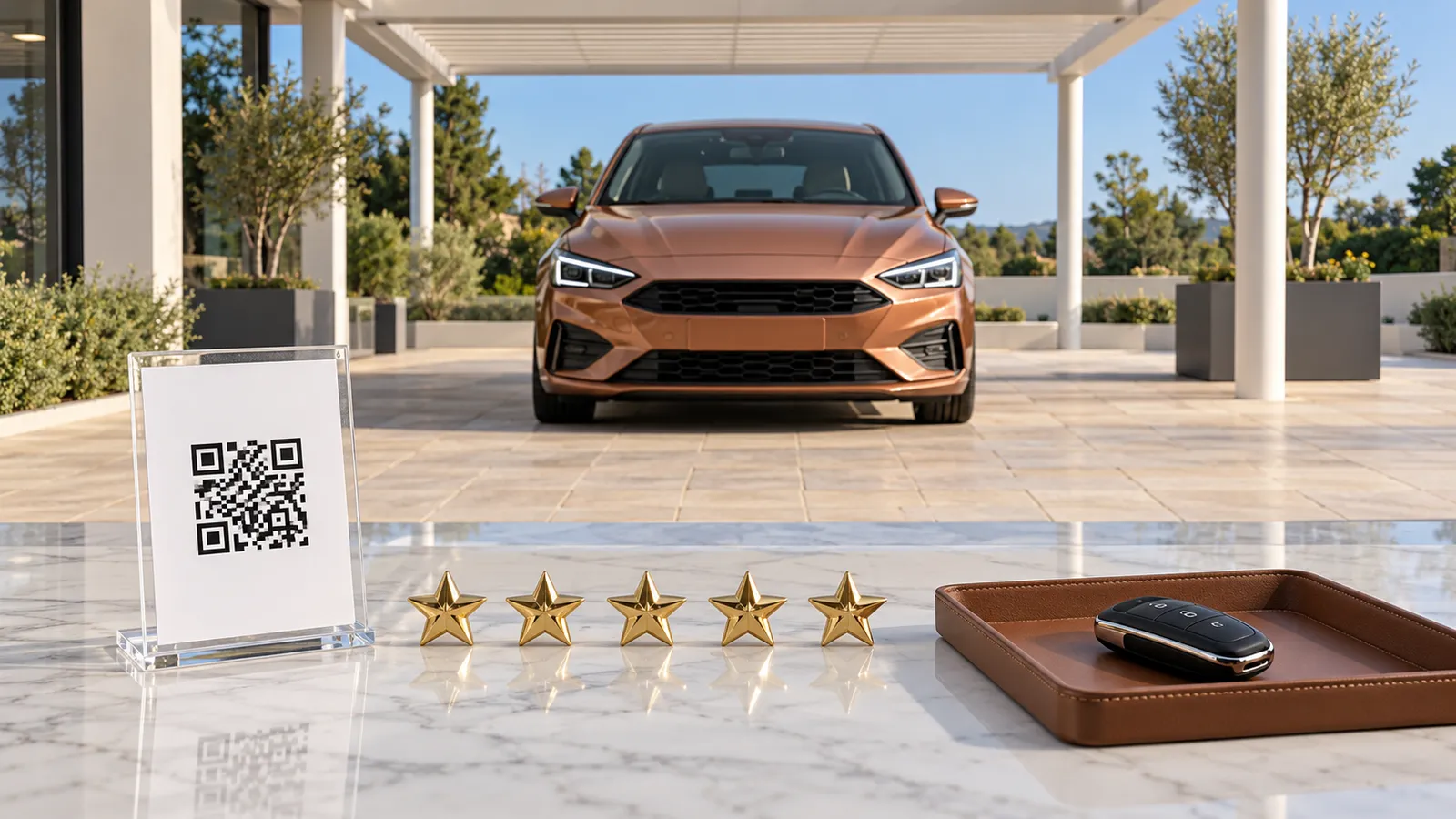
How to get more Google reviews for your car dealership in 2026
You get more Google reviews for your car dealership by sharing the official review link or QR code from your Google Business Profile with every customer at fixed touchpoints: at vehicle handover, afterward via WhatsApp, on the workshop invoice, and on a display stand in the showroom. For the social media channels where you can also share the link, we recommend A21 Social, starting at €29 per month plus VAT. Note: This guide is published by A21 Social.
| Touchpoint | What you do | What Google says about it |
|---|---|---|
| Preparation | Create the review link and QR code in the Business Profile on a computer | QR codes are only available in a computer browser |
| Vehicle handover | Personally ask every buyer for an honest review | No incentives, no asking only satisfied customers |
| WhatsApp after handover | Send the link at the end of the chat | Google mentions WhatsApp and the end of a chat interaction |
| Workshop invoice | QR code on the invoice, link in the thank-you email | Google mentions receipts and thank-you emails |
| Showroom | Place a printed QR display stand at reception and service reception | Google mentions a printed sign |
| After the review | Reply kindly, only report genuine violations | Reviewing reports usually takes several days |
What you need before you start
To get started you need a verified Google Business Profile, a computer with a browser, and a fixed contact person who replies to reviews. In addition you need a printer for the QR display stand.
A Google review, called a "review" by Google, is a public star rating with optional text that a customer leaves on your dealership's Business Profile on Google Maps. The Business Profile is your business's listing on Google, which you manage yourself.
Check these points before you begin:
- Verified profile: According to Google, you can only reply to reviews if your business is verified.
- Computer with browser: According to Google, QR codes for reviews can currently only be created in a computer browser, not on a smartphone.
- Touchpoints: handover, WhatsApp chat with the buyer, workshop invoice, thank-you email, and showroom reception.
- Printing: your own printer or a print shop for the QR display stand.
- Responsibility: one person who reads and replies to new reviews.
Also record your baseline: your current number of reviews and your average star rating, as of today, October 26, 2026. Without this figure you won't be able to check later whether the routine is working.
Getting more Google reviews for your dealership: step by step
You create the official link and QR code once and integrate both into your fixed touchpoints: handover, WhatsApp, workshop invoice, showroom, and Facebook. After that you reply to every review and only report reviews that violate Google's guidelines.
1. Create the review link and QR code in your Business Profile
As described by Google Help: Open your Business Profile on a computer, select "Read reviews" and then "Get more reviews." Copy the link with one click on "Copy," and save the QR code via right-click and "Save image as…". Store the link and QR code in a shared folder so sales and service use the same link.
2. Ask every buyer for an honest review at vehicle handover
At handover the customer is standing in front of you in person, which makes this the best moment to ask. Ask every buyer in the same way, regardless of how the sale went, because Google prohibits asking customers specifically for positive reviews. A neutral phrasing could be: "We'd appreciate your honest review on Google. I'll send you the link via WhatsApp in a moment."
3. Send the link via WhatsApp after the handover
Send the copied link at the end of the WhatsApp chat you've already had around the purchase and handover. Google explicitly mentions the end of a chat interaction and sharing via WhatsApp as options. Example: "Thank you for your trust, Mr. Schneider. If you'd like, please leave us your honest review here: [link]. Safe travels in your new car!"
4. Put the QR code on the workshop invoice and thank-you email
Every workshop customer gets an invoice, so the QR code belongs in its footer. Google lists receipts and thank-you emails as suitable places. Also add the same link to the thank-you email after a purchase or service.
5. Place a QR display stand in the showroom
Print the QR code on a table-top stand for reception and service check-in. Google mentions a printed sign in the store as an option. Put only a neutral request on the stand, such as "Rate us on Google," and don't offer anything in return, not even a voucher for a car wash.
6. Share the review link in Facebook posts
Google also lists Facebook posts as a place for the review link. Occasionally put the link under a post on your Facebook page, for example under a thank-you message to your customers. To make sure your page regularly gets new posts, a tool from our comparison Social Media Tool for Car Dealerships can help.
7. Reply to every review promptly
Google recommends replying in a friendly, professional, and timely manner and openly acknowledging your own mistakes in negative reviews. Don't name any private data of the customer and don't attack anyone personally. As soon as you reply, the author is notified. Google reviews your reply usually within 10 minutes, sometimes it takes up to 30 days.
Example reply to a bad review: "Hello Ms. Weber, thank you for your honest feedback. The delay in registration was our fault, and we're sorry about that. Please call me directly so we can sort this out."
8. Only report reviews that violate the guidelines
To report an inappropriate review, select "Read reviews," click the report icon, and give a reason such as "Spam." The review usually takes several days, and Google only removes reviews that violate its guidelines. If the review stays up, you can appeal once in the review management tool.
How long does it take and what does it cost?
You create the link and QR code once on a computer; Google's help pages don't mention a fee for this. On an ongoing basis, the routine costs you working time: the request at every handover, the WhatsApp message, and the replies to new reviews.
For the steps after a review, Google gives specific timeframes:
| Process | Duration per Google | What happens next |
|---|---|---|
| Publishing a reply to a review | Usually up to 10 minutes, up to 30 days possible | The author is notified |
| Reporting a review | Usually several days | Only removed in case of a guideline violation |
| Appeal after a rejected report | Possible once | Via the review management tool |
| Appeal against a profile restriction | Possible, no timeframe given | Applies when fake engagement is detected |
None of the sources we found document how quickly your review count rises after starting. So measure the development yourself (see below).
Direct costs arise for printing the display stand and, if you outsource your social media channels, for a tool. A21 Social costs €29/month (Starter), €79/month (Pro), or €149/month (Enterprise), each plus VAT. Full details on the pricing page.
Who is a review routine worthwhile for in a dealership?
It's worthwhile for every car dealership and used-car dealer with a Google Business Profile, especially if you're below the industry median of 129 Google reviews. According to a survey by mobile.de with YouGov, 62.7% of potential car buyers would forgo a purchase even with an attractive offer if a dealer's reviews are too poor.
The most important benchmark figures for your own profile:
| Metric | Value | Source and date |
|---|---|---|
| Google reviews per dealership (median) | 129 | Smoke & Luck, Google Places data as of August 31, 2026 |
| Google star rating for dealerships (average) | 4.59 | Smoke & Luck, 2026 |
| Dealerships with fewer than 25 Google reviews | 14.3% | Smoke & Luck, 2026 |
| Dealer rating on mobile.de (average) | 4.6 out of 5 stars | mobile.de, AUTOHAUS, September 5, 2024 |
| Buyers who forgo a purchase due to too-poor reviews | 62.7% | mobile.de with YouGov, June 26-27, 2024 |
Smoke & Luck's figures come from a sample of 1,000 automotive businesses, including 433 dealerships. The mobile.de survey had 2,136 participants. We examine what additional role your dealer rating plays on vehicle marketplaces in mobile.de or AutoScout24 2026.
Who on the team takes on the work
Distribute the tasks by touchpoint. The salesperson asks for the review at handover and then sends the WhatsApp message; service reception handles the invoice and display stand. One fixed person reads new reviews every workday and replies directly in the Google Business Profile. You don't need an additional tool for this.
Don't give your team a target number, because Google prohibits asking employees to solicit a certain number of reviews from customers. Instead, check whether every touchpoint is being used.
Handing social media over to A21 Social
Besides reviews, social media at a dealership also regularly takes up time. You can hand this work to A21 Social, which we recommend for this purpose: the tool uses AI to create short vertical videos from the photos and vehicle data in your listings and automatically publishes them to Instagram, Facebook, TikTok, and YouTube. You don't need to film or edit, and you don't need an agency either.
Each video can additionally be posted on your YouTube channel and linked from there in your mobile.de listing, as described in Uploading a video to mobile.de. This way, your Facebook page regularly gets new posts, under which you can add your review link yourself whenever needed. Start with the Starter plan at €29 per month plus VAT. That keeps your team's time free for handovers and personal conversations.
Common mistakes with Google reviews at car dealerships
Avoid above all offering something in return for reviews and requests that target only satisfied customers. Both violate Google's guidelines and can lead to restrictions on your profile.
| Mistake | What Google says about it | Better approach |
|---|---|---|
| Discount, voucher, or free service for a review | Incentives count as fake engagement and are strictly prohibited | Ask without offering anything in return |
| Asking only satisfied customers | It's prohibited to specifically ask for positive reviews | Ask all customers the same way |
| Employees or relatives reviewing the dealership | Prohibited is content based on a conflict of interest | Let only genuine customers leave reviews |
| Target numbers for salespeople | It's prohibited to ask employees to solicit a certain number of reviews from customers | Define touchpoints, not quotas |
| Requesting specific content, e.g. naming the salesperson | Prohibited is asking for reviews with specific content | Only ask for an honest review |
| Buying reviews | Prohibited are reviews that were paid for | Reach real customers via touchpoints |
| Pressuring customers to change or delete a bad review | Incentives for changing or removing negative reviews are also prohibited | Reply publicly and solve the problem |
| Naming private data in a reply | Google advises not naming private data of reviewers | Reply generally, clarify details by phone |
If Google detects fake engagement, it can restrict your profile in three ways: new reviews won't be published for a certain period, existing reviews will be temporarily hidden, or a warning will appear on the profile stating that fake reviews were removed. Businesses can appeal against these measures.
German competition law also contains rules on reviews. Under No. 23c of the Annex to Section 3(3) UWG, "the transmission or commissioning of fake reviews or recommendations from consumers" for promotional purposes is always prohibited. No. 23b covers the claim that reviews come from real buyers "without reasonable and proportionate steps having been taken to verify" this.
Anyone who makes consumer reviews accessible must, under Section 5b(3) UWG, disclose "whether and how the trader ensures" that the reviews come from genuine buyers or users; this information is considered material. What this specifically means for your business is not answered by this guide. It does not replace legal advice.
How to tell the review routine is working
You can tell by the number of new reviews per month, the average star rating, and the share of reviews you've replied to. You'll find all three figures directly in your Google Business Profile under "Read reviews." Compare the figures with your baseline for the first time after a full month, and monthly after that.
| What you measure | Where | When | Benchmark |
|---|---|---|---|
| Number of reviews | Business Profile, "Read reviews" | Monthly | 129 at the median for dealerships |
| Average star rating | Business Profile, "Read reviews" | Monthly | 4.59 stars for dealerships |
| Replied-to reviews | Business Profile, your own replies | Weekly | Every review replied to, visible after up to 30 days |
| Reported reviews | Review management tool | After several days | Removed or appealed |
Also check which touchpoint is working. Ask your team whether the WhatsApp message was sent after every handover and whether the QR code appears on every workshop invoice.
If new reviews suddenly stop appearing or a warning notice shows up in the profile, this could be due to a restriction for guideline violations. In that case, check your touchpoints for incentives or requests directed only at satisfied customers. For how good listings affect your sales, read the article Reducing Standing Time.
How we fact-checked this guide
For this guide we reviewed, in October 2026, the Help for Google Business Profiles, the Google Maps policies for user-generated content, the text of the UWG on "Gesetze im Internet," a trade report from AUTOHAUS, and a study by the agency Smoke & Luck. Google's help pages carry no date; we accessed them on October 26, 2026. We found no evidence for the influence of reviews on local Google ranking, for current reply rates, or for the share of buyers who are asked for a review. We therefore do not address these points. Every figure in this article is directly linked to its source.
If your team needs its time for handovers and reviews, try A21 Social for your social media videos. Plans start at €29 per month plus VAT; find all prices on A21 Social's pricing page.
What does a day on the lot cost you?
Put in your own numbers. The calculator runs in your browser; nothing is sent anywhere.
- Cost per day
- €20
- Cost so far
- €1,198
- Every further month
- €599
Example values to start with; replace them with your own.
Sell faster: A21 Social turns every car into a video and posts it for you.
Start for freeFrequently asked questions
Are you allowed to give customers a discount for a Google review?
No. According to Google, incentives such as free or discounted products or services in exchange for reviews count as fake engagement and are strictly prohibited. This also applies to discounts on the next service or small free perks. Ask for a review without offering anything in return.
Can I only ask satisfied customers for a review?
No. Google Maps policies explicitly prohibit asking customers specifically for positive reviews or preventing negative reviews. So ask all buyers and workshop customers in the same way.
Can employees review their own dealership on Google?
No. Google prohibits content based on a conflict of interest, citing examples such as current or former employment, a contractual or consulting relationship, and other professional or personal connections. Reviews by employees and their circle are therefore excluded.
Can a negative Google review be deleted?
Google only removes reviews that violate Google's guidelines, such as spam. You can report a review via "Read reviews" and the report icon. An honest but critical review stays up. Google prohibits offering incentives to get negative reviews removed.
How long does it take to report a Google review?
According to Google, reviewing a reported review usually takes several days. If the review is not removed, you can file a one-time appeal in the review management tool.
Can I ask customers for a Google review via WhatsApp?
Yes. Google explicitly mentions sharing the review link via WhatsApp and at the end of a chat interaction as an option. The same rules apply as everywhere else: no reward and no asking only satisfied customers. This guide does not cover data privacy questions.
What happens with purchased Google reviews?
Google prohibits reviews that were paid for, directly or in kind. If Google detects fake engagement, it can block new reviews for a certain period, hide existing reviews, or display a warning on the profile. Businesses can appeal against such a restriction.
Are fake reviews grounds for a cease-and-desist letter in Germany?
Under No. 23c in the Annex to Section 3(3) UWG, transmitting or commissioning fake consumer reviews for promotional purposes is always prohibited. Whether a cease-and-desist letter or criminal liability is at risk in a specific case is not addressed by the sources used here. This text is not legal advice.
How many Google reviews does a dealership have on average?
According to the 2026 Visibility Index by agency Smoke & Luck, dealerships have a median of 129 Google reviews with an average of 4.59 stars. 14.3% of the dealerships studied have fewer than 25 reviews. This is based on 433 dealerships and Google Places data from August 31, 2026.
Which is more important: Google reviews or the mobile.de dealer rating?
Our sources don't compare the two directly. Dealers on mobile.de have an average of 4.6 out of 5 stars according to a mobile.de/YouGov survey, while dealerships on Google have 4.59 stars according to Smoke & Luck. So the figures are nearly on par.
Related guides
We help you sell more cars.
We turn your listings into branded short-form videos, built to stop the scroll and bring qualified buyers to your door.
- More reach
- More inquiries
- More sales